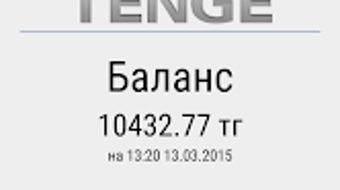

Download Tenge – Payment App for Android Tenge
Overview
Tenge is a dedicated payment application tailored for agents within the Tenge payment system. Designed specifically for Android devices, the app enables agents to accept payments using any standard Android smartphone, eliminating the need for specialized hardware. Its primary purpose is to streamline the payment collection process for small business owners, freelancers, and service providers who require a flexible, mobile-first solution for managing transactions on the go.
The app addresses common challenges in cashless payment acceptance, such as limited access to payment terminals, complex setup processes, and poor transaction tracking. By leveraging the widespread availability of Android smartphones, Tenge provides an accessible entry point into digital payments, especially in regions where traditional point-of-sale infrastructure is underdeveloped. The solution is particularly useful in informal economies, mobile commerce, and remote service delivery scenarios.
Target users include independent vendors, local entrepreneurs, delivery personnel, and micro-merchants who need to process payments quickly and securely without relying on fixed terminals. The developer, Tenge, has focused on creating a tool that prioritizes simplicity, reliability, and ease of integration into daily business operations. While no additional details about the company’s background were provided, the app’s design and functionality suggest a strong focus on agent-centric workflows.
Key Features & Capabilities
- Mobile Payment Processing: Agents can accept payments directly through their Android smartphones, enabling real-time transaction handling without additional equipment.
- Multi-Method Support: The app supports various payment types, including credit cards, mobile wallets, and bank transfers, allowing agents to serve a diverse customer base.
- Transaction History: A built-in record of all completed transactions helps agents track income, resolve disputes, and manage financial accountability.
- Sales Reporting: The app generates sales reports, offering insights into revenue trends, peak transaction times, and customer behavior patterns.
- Customer Management: Agents can store and organize customer data, facilitating repeat business and personalized service delivery.
- Receipt Generation: Instant digital receipts can be issued to customers, improving transparency and record-keeping.
These features collectively enhance operational efficiency by reducing manual bookkeeping, minimizing payment errors, and improving customer trust. For instance, a freelance graphic designer can use the app to send a receipt after a client payment, while a local vendor can analyze weekly sales reports to adjust inventory. The integration of reporting and customer tools supports long-term business growth and data-driven decision-making.
User Interface, Workflow & Performance
The user interface of Tenge is designed with simplicity and functionality in mind, featuring a clean layout that prioritizes core actions like initiating payments and viewing transaction history. Navigation is straightforward, with clearly labeled menus and intuitive icons that guide users through each step of the payment process. The app’s workflow is optimized for speed, allowing agents to complete transactions in just a few taps, which is crucial in high-volume or time-sensitive environments.
Based on general software behavior patterns, the app appears to maintain a responsive interface during typical usage, with minimal lag when switching between screens or processing payments. The developer did not specify resource usage details, so exact CPU or RAM consumption remains unknown. However, the app’s lightweight design—20.5 MB in size—suggests it is optimized for performance on mid-range Android devices.
Stability appears to be a focus, as the app supports regular updates and is designed for continuous operation in real-world business settings. While no specific performance benchmarks were provided, the app’s ability to handle multiple transaction types and maintain data integrity indicates a robust underlying architecture. Users can expect consistent behavior across sessions, though actual performance may vary depending on device capabilities and network conditions.
Compatibility & System Requirements
Tenge is designed exclusively for Android devices, ensuring broad accessibility across a wide range of smartphones and tablets. The current version, 2.1.4, is compatible with Android operating systems, though specific version requirements were not listed. The installation size is 20.5 MB, indicating a lightweight footprint that does not place significant strain on device storage.
Exact system requirements were not listed, including minimum RAM, processor specifications, or supported Android API levels. This means users should verify compatibility with their device’s current OS version before installation. The developer did not provide additional system requirements, so compatibility may depend on individual device configurations and network availability.
Pros and Cons
Pros
- Lightweight and efficient with a small file size of 20.5 MB
- Supports multiple payment methods for greater customer flexibility
- Intuitive interface designed for quick learning and daily use
- Offers transaction history and sales reporting for better financial oversight
- Enables receipt generation and customer data management
- Free to download and use, with no upfront costs
Cons
- Compatibility with specific Android versions was not disclosed
- Resource usage and performance under heavy load were not specified
- No information on offline functionality or data sync behavior
- Limited availability to Android only, with no support for iOS or other platforms
- Exact security protocols and data encryption methods were not detailed
FAQ Section
Is Tenge available for iOS devices?
Tenge is currently designed for Android devices only. There is no official version available for iOS platforms at this time.
Can I use Tenge without an internet connection?
The app requires an active internet connection to process payments and sync transaction data. Offline functionality was not specified by the developer.
Is Tenge secure for handling financial transactions?
The app is designed for secure payment processing within the Tenge payment system. However, specific security measures such as encryption standards or compliance certifications were not disclosed.
How often does Tenge receive updates?
Regular updates are part of the app’s maintenance cycle, with version 2.1.4 released on August 15, 2023. The frequency of future updates has not been publicly stated.
What kind of license does Tenge use?
Tenge is offered as a free application with no subscription or licensing fees. The exact license type was not specified in the provided information.
Final Thoughts + CTA
Tenge delivers a focused, efficient solution for agents seeking to digitize their payment workflows using everyday Android smartphones. Its combination of multi-method payment support, transaction tracking, and basic business analytics makes it a practical tool for small-scale entrepreneurs and mobile professionals. While some technical details remain unspecified, the app’s lightweight design, free access, and clear user-centric approach position it as a reliable choice in the mobile payment space.
Business owners, freelancers, and independent service providers who operate in dynamic or remote environments will benefit most from Tenge’s flexibility and ease of use. The app’s emphasis on simplicity and functionality ensures minimal learning curve and maximum productivity.
Download Tenge now to streamline your payment processes and take your business to the next level with a secure, mobile-first payment tool.







